
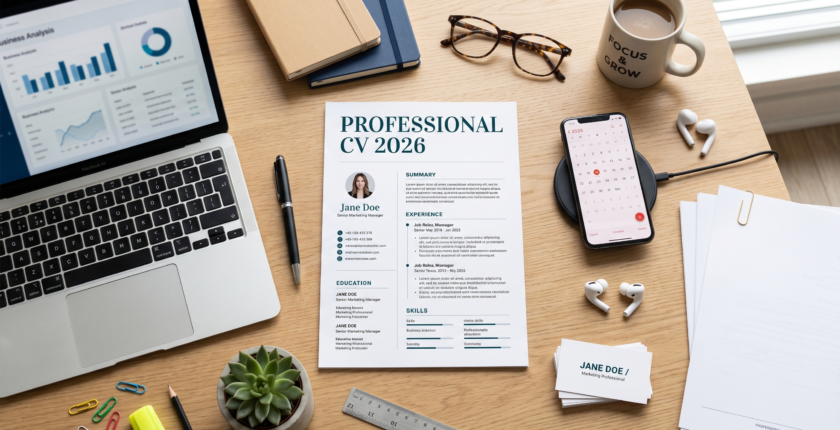
How to Create a Professional CV in 2026 (With Free Templates & Examples)
These days, if you want your CV to be professional in 2026, it can’t simply contain your experience and education. Employers today shortlist candidates using advanced tools: Applicant Tracking Systems (ATS), AI-based screening, and fast human scanning. Your CV, therefore, needs to be clear, modern, optimized, and impactful — simultaneously.
Wondering how to create a CV that stands out from the crowd? Follow this complete guide for a step-by-step write-up of structure, formatting, and tips from experts and common mistakes.
Let’s get started!
📌 What is a CV and why is it useful?
A CV (Curriculum Vitae) is an overview of your professional life, including your skills, education, and experience. After all, it is often the first impression you make on a recruiter.
A CV in 2026 must achieve three top-level things:
- Pass ATS (Applicant Tracking Systems)
- Grab attention within 6–10 seconds
- Clearly show your value
A precise CV could be what gets you into the shortlist or ignored.
| Section | Details |
|---|---|
| Header | Name, contact info, LinkedIn |
| Professional Summary | Short intro (2–4 lines) |
| Skills | Relevant hard & soft skills |
| Experience | Job history with achievements |
| Education | Degrees, certifications |
| Additional Sections | Projects, languages, awards, etc. |

🏢 What to expect from Modern CV trends in 2026
The job landscape has transformed drastically. Employers now prefer:
- Clean and minimal designs
- Skills-focused content
- Measurable achievements (numbers & results)
- ATS-friendly formatting (no complex graphics)
💡 Pro Tip: Fancy designs may be lovely, but many ATS cannot read them. Always balance design with readability.
📋 Types of CV Formats
Selecting the appropriate format is essential. These are the most common:
Chronological CV
- Experience is listed in reverse chronological order
- Best for experienced professionals
Functional CV
- Emphasises skills over experience
- Ideal for entry-level professionals or career shifters
Combination CV
- A combination of both skills and experience
- Perfect for the average job seeker in 2026
🎯 Essential Parts That Your CV Should Have
1. Header (Contact Information)
Include:
- Full Name
- Phone Number
- Professional Email
- LinkedIn Profile
❌ Don’t: Full Home Address (Unnecessary in the Year 2026)
2. Professional Summary
Be concise and direct in your message:
- “Results-oriented marketing professional with over 3 years of experience specializing in digital campaigns and SEO. Demonstrated success driving 60% website traffic growth.”
💡 Make it concise, clear, and relevant to the job.
3. Skills Section
Divide into:
- Skills (e.g., Excel, Python, SEO)
- Soft Skills (e.g., Communication, Leadership)
🧠 Tip: Reflect job description keywords in skills.
4. Work Experience
This is the most critical portion.
Use this format:
- Job Title
- Company Name
- Dates
- Achievements (bullet points)
✅ Example:
- Within 6 months, sales increase by 35%
- Managed a team of 5 members
- Increased customer satisfaction score by 20%
5. Education
Include:
- Degree name
- Institution
- Year
Optional:
- GPA (if strong)
- Relevant coursework
6. Additional Sections
Add if relevant:
- Certifications
- Projects
- Languages
- Volunteer Work

🧾 Free CV Template Sample (Basic Format)
Some of the things you can base your pitch on are:
John Doe
📧 johndoe@email.com | 📞 +1234567890 | 🔗 LinkedIn
Professional Summary
Experienced software developer with 4+ years in web development…
Skills
- HTML, CSS, JavaScript
- Problem-solving
- Team collaboration
Experience
Web Developer — ABC Company (2022–2025)
- Built responsive websites
- Improved loading speed by 40%
Education
BS Computer Science — XYZ University (2021)
💡 You can create this easily in MS Word, Google Docs, or Canva.
🪜 Step by Step: How to Make a CV in 2026
Step 1: Pick the Right Template
Choose according to your level of experience.
Step 2: Enter Your Personal Information
More on professional and modern.
Step 3: Write a Powerful Summary
Instead, concentrate on all that you bring to the table.
Step 4: Highlight Relevant Skills
Use keywords from the job description.
Step 5: Experience With Accomplishments
Use numbers and achievements.
Step 6: Add Education & Certifications
Keep it concise.
Step 7: Optimize for ATS
- Use simple fonts (Arial, Calibri)
- Avoid images and graphics
- Use keywords naturally
Step 8: Proofread Carefully
Fix grammar and spelling mistakes.
📅 The Ultimate CV Writing Trends for 2026
- ATS Optimization is essential
- Shorter CVs (1–2 pages preferred)
- Data-driven achievements
- Digital profiles (LinkedIn, portfolios)
📎 Required Documents (When Applying)
Along with your CV, you might also be required to submit:
- Cover Letter
- Academic Certificates
- Experience Letters
- Portfolio (for creative roles)
🔍 The Selection Process (How Recruiters Review CVs)
Recruiters usually:
- Scan CV in 6–10 seconds
- Check keywords and skills
- Review experience relevance
- Shortlist candidates
💡 First impression is all that matters — use it well!
💰 Salary & Career Impact
A strong CV can:
- Increase interview chances by 2–3x
- Help negotiate a higher salary
- Open better job opportunities
⚠️ Important Instructions for Applicants
- Make sure you tailor your CV for each job
- Keep it honest and accurate
- Use professional language
- → File download to PDF before filing
❌ Common Mistakes to Avoid
- Spelling and grammar errors
- Using outdated formats
- Adding irrelevant information
- Writing long paragraphs
- Not tailoring CV for the job
🚀 Tips to Improve Your Chances of Selection
- Start with action words (Created, Managed, Achieved)
- Add numbers to show impact
- Keep formatting clean and simple
- Use bullet points for readability
- Update CV regularly
❓ FAQs
1. CV length in 2026: how long should a CV be?
A CV should be 1–2 pages long at most, and it can vary depending on your experience.
2. CV Format — What Is the Best Formatting for a CV?
For most job seekers, a combination format is what works best.
3. Include a Photo in Your CV? Should I have a photo on my CV?
Unless you are specifically asked for it, this is not required in most countries.
4. Make your CV ATS-friendly — How?
Keep formatting simple, use relevant keywords — don’t include images.
5. Is it Possible to Use the Same CV for Every Job?
No, No, and No. Always tailor your CV to the job description.
✅ Conclusion
In 2026, it is about clarity, relevancy, and impact that create a professional CV. You don’t need fancy designs or complicated layouts — what really counts is how well you sell your skills and accomplishments.
Using this step-by-step guide, tempering common mistakes, and using expert tips, you can write a CV that makes it not only through ATS systems but also the eyes of recruiters.
Don’t rush, keep it simple and play to your strengths — your next job could be just one fantastic CV away! 🚀
Image Credits: Some images used in this article were created with the help of Google Gemini AI.