 by
by How to Make Your Photo Look Like It Was Taken in 1985 Using ChatGPT
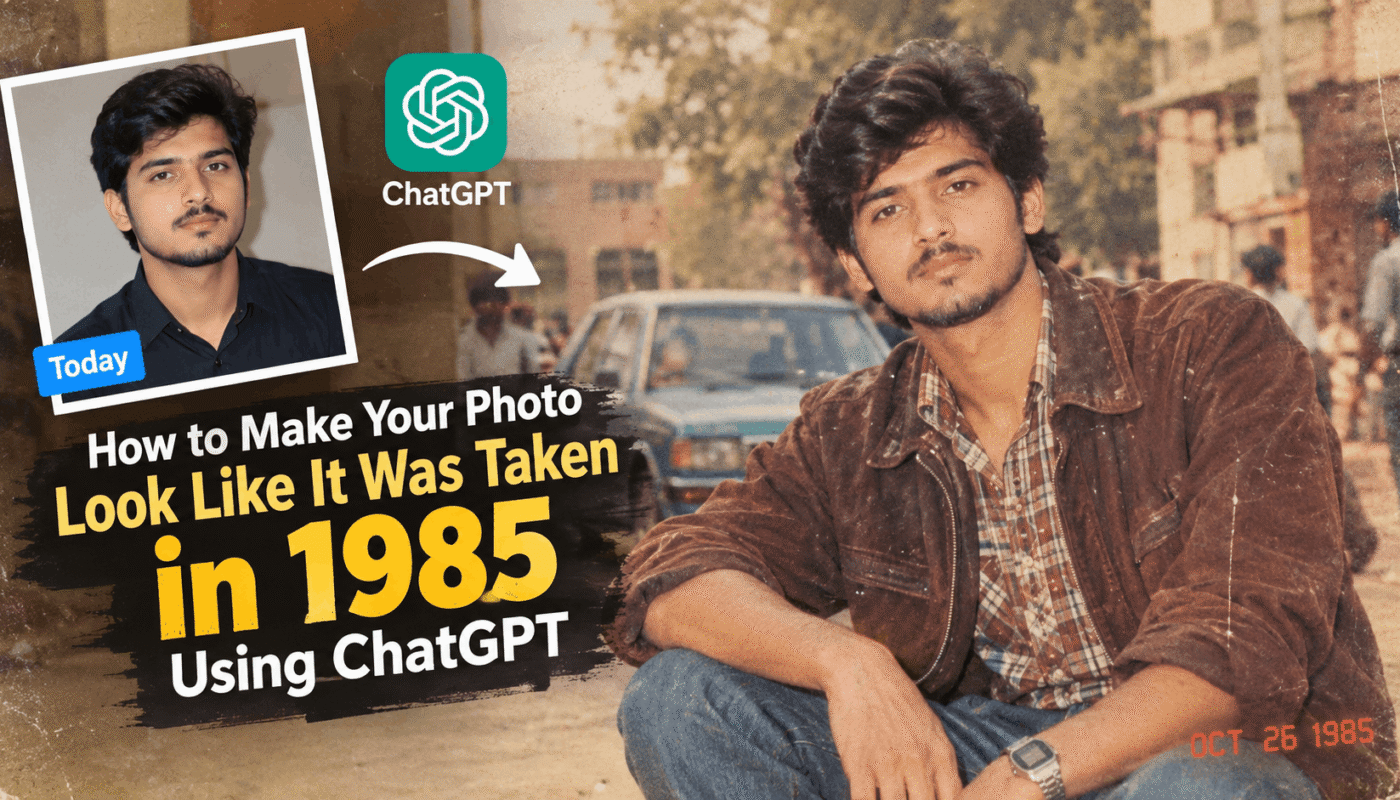
Have you ever looked at an old family photograph and wondered how you would have looked if you had lived in the 1980s? AI image editing now makes it possible to create a vintage version of your current photo. With ChatGPT, you can transform a modern picture into a realistic image inspired by the year 1985.
The interesting part is that you can keep your recognizable facial appearance while changing your hairstyle, clothes, surroundings, and photography style. This makes the final image look like an old photograph from another time.
How to Create a 1985-Style Photo
Creating this type of image is quite simple. You mainly need a clear photo and a suitable AI prompt.
Step 1: Open ChatGPT
Start by opening ChatGPT on your phone or computer. Use an image-capable version of ChatGPT that allows you to upload and edit images.
Step 2: Upload Your Photo
Upload a clear picture of yourself. A photo where your face is visible and reasonably well-lit can help the AI understand your appearance more accurately.
Step 3: Use a Vintage Photo Prompt
After uploading your picture, enter a detailed prompt explaining the style you want.
AI Prompt:
Transform my uploaded photo into a realistic photograph inspired by 1985. Keep my identity, facial appearance, skin tone, and recognizable features consistent. Update my hairstyle, clothing, accessories, pose, and surroundings to reflect authentic mid-1980s fashion and everyday life. Use period-appropriate furniture, streets, locations, and visual details. Give the image the appearance of an old analog film photograph with natural grain, mild softness, slightly faded colors, direct flash, and subtle imperfections. Add a small red-orange vintage date stamp in one lower corner. Remove modern objects, technology, logos, watermarks, and unnecessary text.
Why This Prompt Works
A detailed prompt helps the AI understand exactly which parts of the image should be changed. Instead of simply asking for an “old photo,” the prompt provides information about the decade, fashion, environment, and photography characteristics.
The instructions about facial appearance are also useful when you want the edited picture to remain recognizable as you. Meanwhile, the clothing, hairstyle, background, and camera effects can be changed to create the desired period look.
Make the Image Look More Realistic
The photography details can make a big difference. Real old photographs often have characteristics such as film grain, slight softness, faded colors, and small imperfections. Including these elements in the prompt can make the generated image feel more natural.
You can also experiment with different 1980s settings, such as a living room, street, school environment, family gathering, or outdoor portrait.
Final Result
Using ChatGPT in this way is a fun method for exploring vintage photography and AI image editing. You can take a modern picture and turn it into a creative representation of how the photo might have looked around 1985.
For better results, start with a clear image and give specific instructions about the period, clothing, background, and photographic style. You can also adjust the prompt and try different variations until you find a result you like.